
PolyMarketSlots Mobile Experience Overview
PolyMarketSlots is delivered on mobile as a Progressive Web App rather than a native application distributed through the Google Play Store or the Apple App Store. This approach is common for international casino brands accepting Canadian players, since it avoids the store restrictions on real-money gambling apps while still providing full functionality on the phone. The mobile experience shares the same account, wallet, promotions and support as the desktop site.
Third-party APK files claiming to be a PolyMarketSlots app should be avoided. Only the official website should be used as the installation source, since unofficial APK versions are not distributed or endorsed by the operator and may pose a security risk to the device or the account.
Installing the App on Android via Chrome
On Android devices, the PolyMarketSlots Progressive Web App installs from the Chrome browser in around 30 seconds. The full sequence uses standard Chrome controls and does not require any special permissions beyond home-screen shortcut creation. Other Android browsers such as Firefox or Samsung Internet support similar install features, though the exact menu labels may differ.
Android install steps in Chrome
- Open Chrome on the Android device and navigate to the official PolyMarketSlots website.
- Tap the three-dot menu in the top-right corner of the browser.
- Select Install App or Add to Home Screen from the menu, depending on the Chrome version.
- Confirm the installation in the popup that appears on screen.
- Open the newly created icon on the home screen — the site loads in full-screen mode.
The installed shortcut keeps the account signed in between sessions and delivers promotional push notifications when browser permission is granted during setup. The home-screen icon uses under one megabyte of device storage, since the site loads from the servers rather than being packaged locally on the phone.
Adding PolyMarketSlots to Home Screen on iOS Safari
On iOS devices, the home-screen shortcut is created through Safari specifically. Chrome for iOS uses the same underlying engine but does not offer the same Add to Home Screen option, so Safari must be used for the initial install. The iOS shortcut works well overall, though it does not support push notifications — this is a system-level Apple restriction rather than a PolyMarketSlots limitation.
iOS install steps in Safari
- Open Safari on the iPhone or iPad and navigate to the PolyMarketSlots website.
- Tap the Share button at the bottom of the screen (square with an upward arrow).
- Scroll down in the share sheet and tap Add to Home Screen.
- Confirm the shortcut name and tap Add in the top-right corner to finish.
Bilingual Language Toggle on Mobile
The PolyMarketSlots mobile interface offers a bilingual toggle between English and Canadian French, accessible from the account menu or the language selector in the header. The toggle applies across the lobby, cashier, promotions page, live chat and account settings, matching the desktop experience for players from Quebec and other French-speaking regions of Canada.
Language preferences persist across sessions on the installed shortcut, so the interface loads directly in the last-chosen language on subsequent launches without needing to switch each time.
Mobile Cashier — Interac, iDebit and Cryptocurrency
The PolyMarketSlots mobile cashier supports all deposit and withdrawal methods available on desktop, with Canadian-native options at the top of the list.
Payment methods available on mobile
- Interac Online — direct Canadian bank transfer, instant deposit and 24-hour withdrawal
- iDebit and Instadebit — Canadian debit services, works with most major banks
- Visa and Mastercard — standard card deposits and withdrawals
- Skrill, Neteller, MiFinity — e-wallets with 24-hour withdrawal times
- Bitcoin, Ethereum, Litecoin, USDT — cryptocurrency deposits from C$15
- Paysafecard — prepaid voucher for deposits only
The mobile cashier also lets members enter welcome codes POLY1, POLY2 and POLY3 before confirming deposits — full welcome terms sit on the PolyMarketSlots bonus page.
Live Casino and Sportsbook on the Go
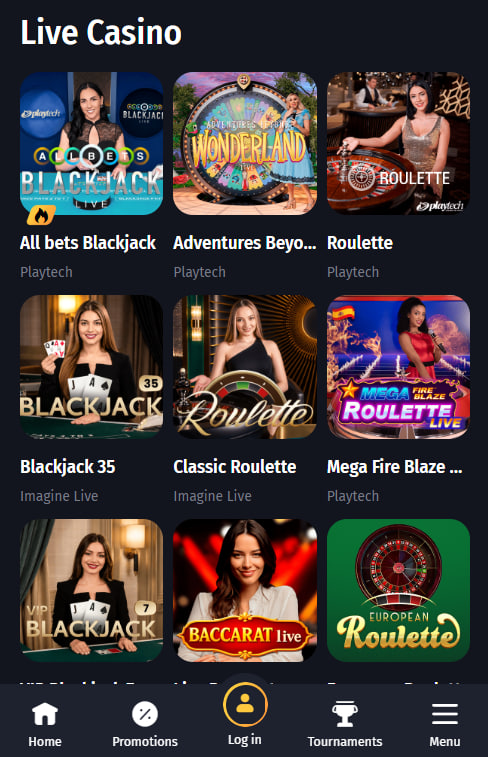
The mobile version supports the full live casino and sportsbook offering. Live dealer roulette, blackjack, baccarat and game shows stream from Evolution and Pragmatic Play Live studios, and the sportsbook covers pre-match and in-play markets for NHL, CFL, MLB, NBA and MLS games alongside international competitions.
Mobile-optimised features
- Landscape orientation is recommended for live dealer tables — rotating the phone gives a better view of the table and dealer
- The betting slip stays reachable from the bottom of the screen during sportsbook browsing
- Live scores update in real time during in-play markets without a manual refresh
- Quick-bet shortcuts save common stake amounts for repeated wagers
App Support and Common Fixes
Most Progressive Web App issues clear within a minute using standard browser tools. New members without an account can start on the PolyMarketSlots registration page before installing the shortcut.
Quick fixes for common issues
- Force-close and reopen the app icon from the home screen to reset the session.
- Clear the Chrome or Safari cache through browser settings if pages are not loading properly.
- Reinstall the shortcut by removing the icon and repeating the install steps.
- Switch between mobile data and Wi-Fi if the connection appears slow or unstable.
- Contact bilingual live chat with the device model, browser version and a screenshot if the issue persists.